Can they use your site?
More than 1 in 4 U.S. adults have some type of disability.1
An automated WCAG 2.1 AA audit that finds common barriers for these customers, and shows how to fix them.
Accessibility decides who can buy from you
When a page doesn't work with a keyboard, a screen reader or zoom, some visitors can't finish what they came to do.
Customers
More than 1 in 4 U.S. adults have some type of disability.1
Search
Clear headings, labeled links and text alternatives also help search engines understand your pages.
From scan to fix in three steps
Scan
We run axe-core and Lighthouse on your key pages to find the WCAG 2.1 AA issues automated tools can detect.
Report
You get a plain-language report: each issue, where it is, who it affects, and how serious it is.
Fix and monitor
Follow the fix guide or hand it to your developer. Monthly monitoring re-scans and flags new issues.
What the full report looks like
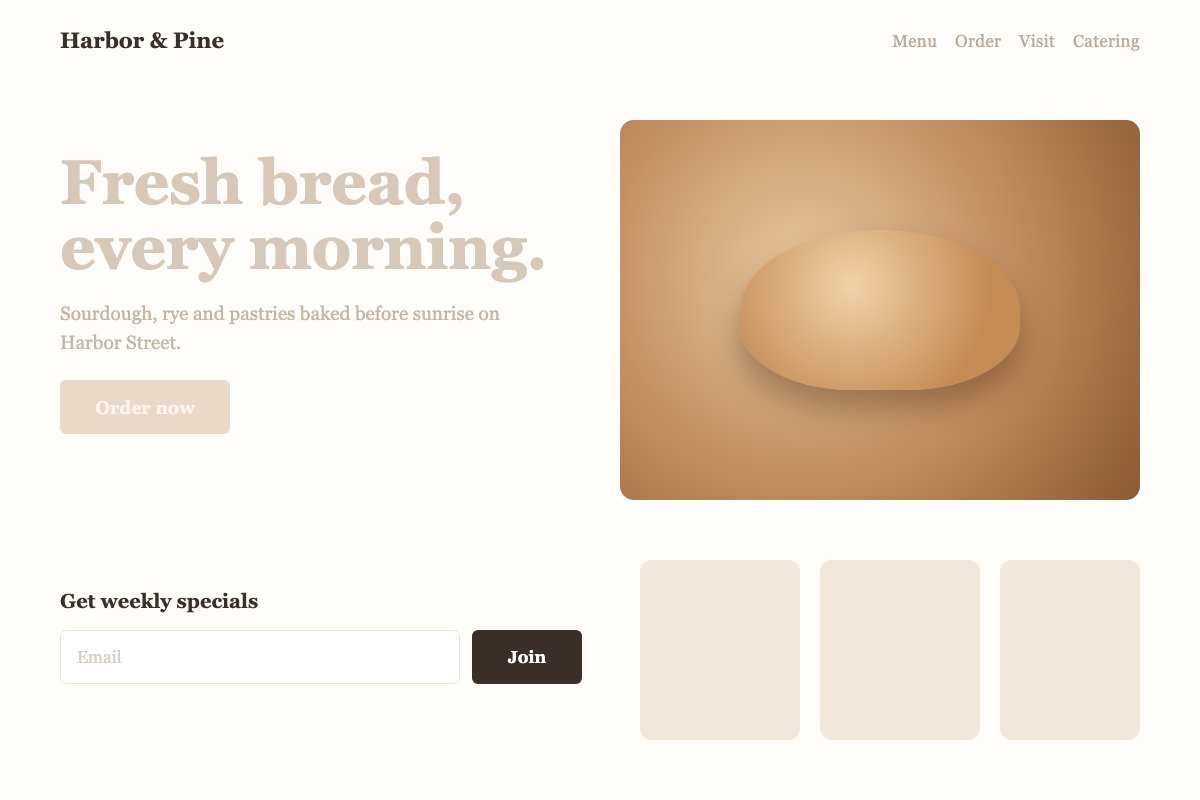
A sample report for a made-up bakery website. Yours covers your own pages.
The sample shows three report pages. The summary page lists an example score of 62 out of 100 and four issues with their severity and WCAG reference. One page explains a heading contrast issue and the pages it was found on. The fix guide gives a labeled email field as example code.
What a fix looks like
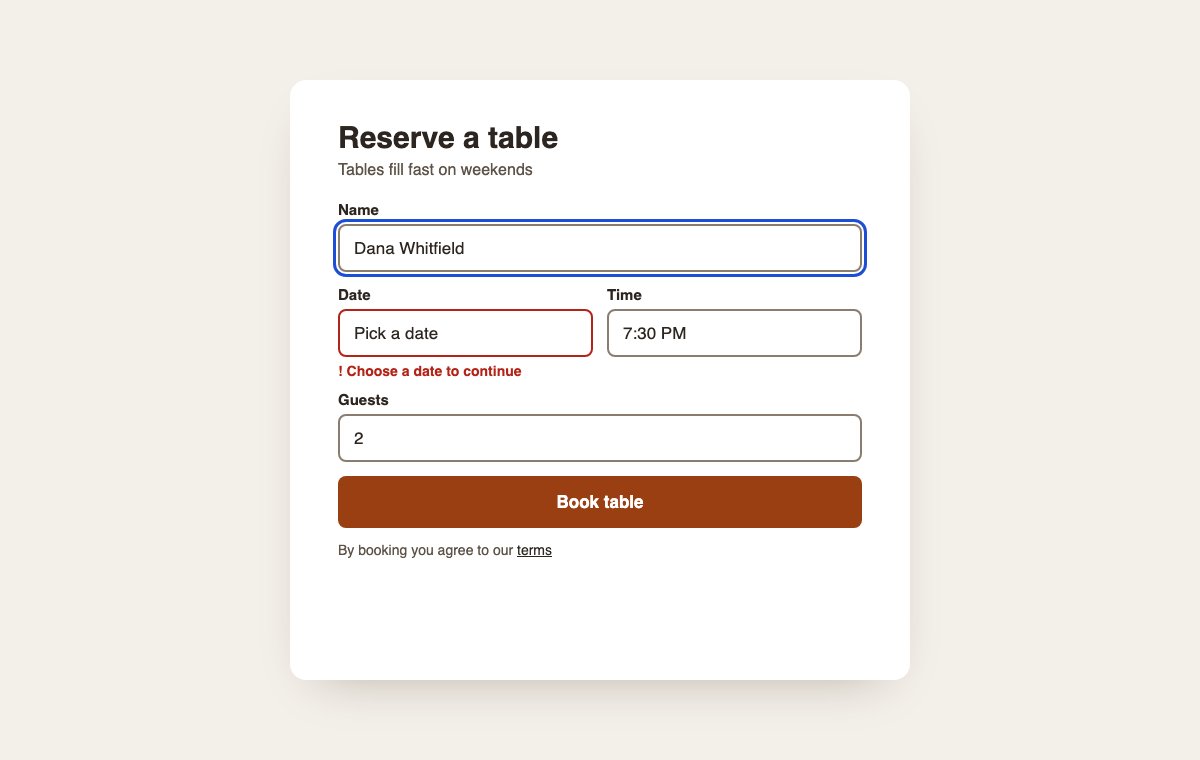
An example reservation form, before and after fixing common issues. Drag the slider or use the arrow keys.
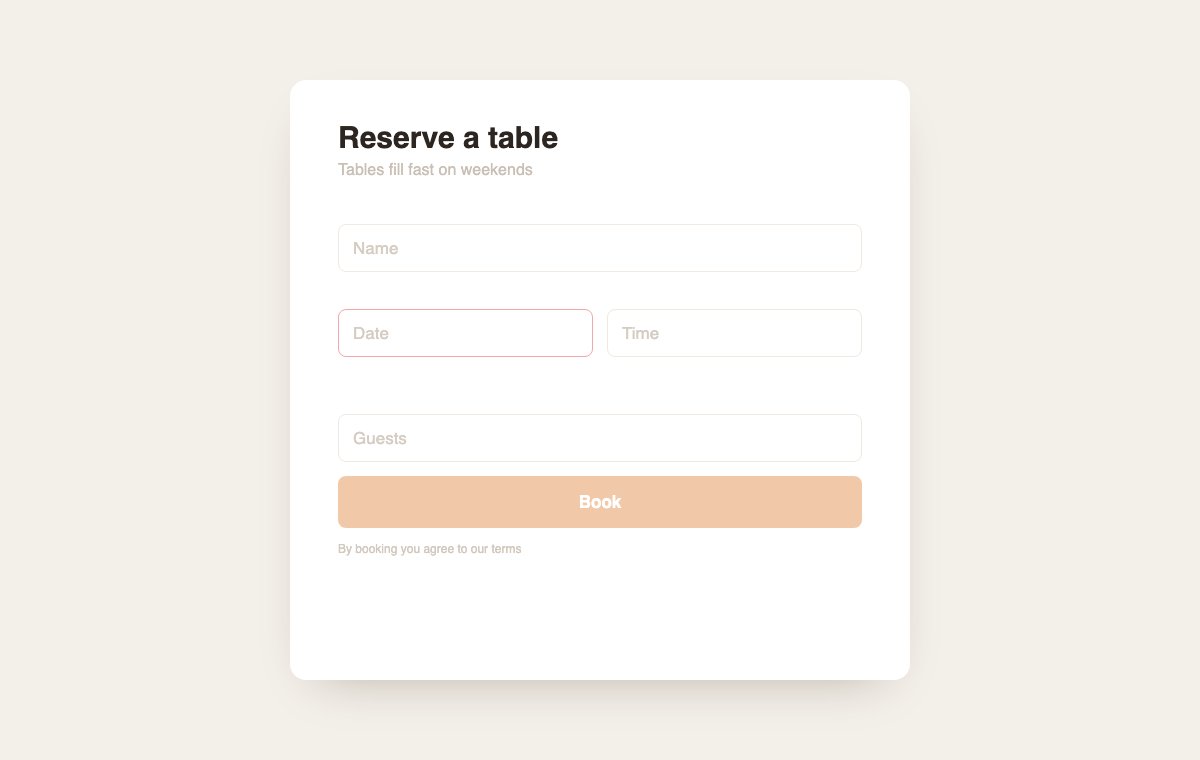
Before: faint text, placeholders instead of labels, an error shown only by a red border, and a low-contrast button.
After: visible labels, readable contrast, a written error message, a clear focus outline, and a button that says what it does.
Start free. Go deeper when ready.
Start with a free snapshot, then choose a one-time report or ongoing monitoring.
Free Snapshot
$0free
A short automated check of your homepage, sent by email.
- Homepage only
- A short list of the main issues
- Delivered to your inbox
No card needed.
Automated Report
$249one-time
An automated scan of your key pages against the WCAG 2.1 AA rules that tools can test.
Automated checks only. Manual and screen reader testing are not included.
- Key pages: home, product or service pages, checkout or booking, and contact
- Every issue our automated checks find, with its location and WCAG reference
- A step-by-step fix guide
- A PDF to share with your developer
Checkout opens at launch.
Recommended
Automated Report + Re-scan
$399one-time
Everything in the Automated Report, plus one automated re-scan of the same pages after you fix the issues.
Automated checks only. Manual and screen reader testing are not included.
- Everything in the Automated Report
- One re-scan within 90 days of your report
- An updated report showing which automated findings are resolved and which remain
Checkout opens at launch.
Monitoring
$49per month
or $490 per year. Save $98 a year vs. paying monthly.
An automated re-scan every month, so you catch new issues each month.
- Monthly automated re-scan
- Email alerts when new issues appear
- Progress over time
Renews automatically every month at $49 plus applicable tax until you cancel. Cancel anytime online.
Checkout opens at launch.
Renews automatically every year at $490 plus applicable tax until you cancel. Cancel anytime online.
Checkout opens at launch.
Prices are in U.S. dollars. Tax is calculated at checkout. Checkout opens at launch.
What an automated audit can and can't do
Automated tools are fast and consistent, and some checks still need a person. Our reports point out what still needs a person to check.
Automated checks catch
- Images with no text alternative
- Text and buttons with low contrast
- Form fields without labels
- Buttons and links with no accessible name
- Missing page language or title
- Some heading and structure problems
A person still needs to check
- Whether alt text actually describes the image
- How the site feels with a screen reader
- Keyboard use in menus, pop-ups and custom widgets
- Caption and transcript quality
- Whether the content is clear and easy to follow
Our reports are automated audits. They identify issues and make your site easier for more customers to use. They are not a certification or legal advice, and they do not guarantee that your site meets any law.
Common questions
Short answers about scope, pricing and privacy.
What is WCAG 2.1 AA?
WCAG 2.1 is a set of accessibility guidelines from the W3C. Level AA is the level most often used as a target for websites.
Does an audit mean my site meets legal requirements?
No tool can promise that. An automated audit finds many common issues and shows how to fix them, which makes your site easier for more customers to use. Pair it with manual testing by a person for a fuller picture. This is not legal advice.
Do you change my website?
No. We read your public pages the way a visitor's browser does. You or your developer make the fixes.
Do you add an overlay or widget?
No. Reports point to the code that needs to change, so the fix lives in your own site.
Who is it for?
Small and medium businesses, such as online stores, restaurants, clinics, hotels and law firms.
Can you check pages behind a login?
No. We only scan public pages. We never log in, submit forms, or bypass a paywall. For a paid report, tell us which public pages matter most.
How do refunds work?
You can get a full refund within 14 days of purchase. The refund policy page has the details.
Find out what your site is hiding.
Start with a free snapshot of your homepage. It takes a website address and an email.